

When setting up a streaming device like the Amazon Fire TV Stick, Android TV, or Google TV, choosing the right media platform directly determines your viewing experience.
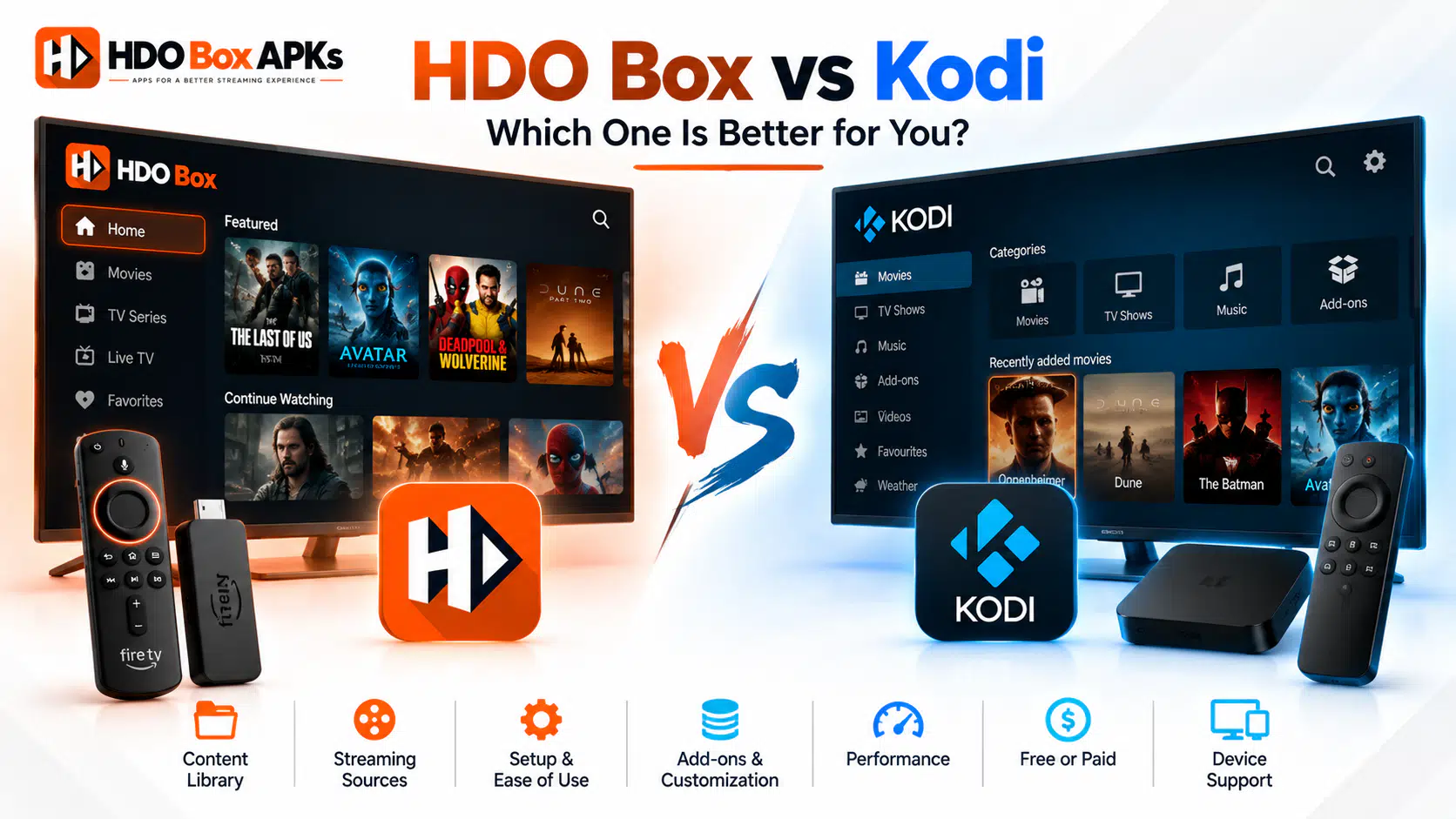
The debate of hdo box vs kodi is one of the most frequent comparisons among cord-cutters searching for the best home entertainment setup. While both applications give you access to thousands of movies and television series without subscription fees, their software architectures, system requirements, and user workflows are fundamentally different.
HDO Box is a lightweight, plug-and-play Android streaming APK built for fast, one-click playback.
Kodi, by contrast, is a modular, open-source home theater software suite that functions through community repositories, custom Python add-ons, and advanced media decoders. This detailed comparison breaks down the key technical differences between both platforms, measures their performance on popular hardware, and helps you decide which option best fits your entertainment setup.
Entity Disambiguation: HDO Box APK vs. Legacy HD Box Kodi Add-on
Before analyzing technical features, it is important to clarify a common misconception across search forums and streaming blogs.
Many users search for the historical hd box kodi addon, confusing it with the modern standalone Android app:
- The Historical HD Box Kodi Add-on: A legacy video scraper add-on built inside the Kodi framework (originally hosted on third-party repositories like Mucky Ducks). It scraped video feeds directly through Kodi's internal Python engine. That add-on was abandoned years ago and is completely inactive today.
- The Modern HDO Box Android APK: An independent, standalone Android Package Kit (
hdo.app) engineered specifically for Android OS and Fire OS hardware. It operates entirely outside the Kodi platform and relies on external companion players to render video streams.
This guide focuses specifically on the current, standalone HDO Box application compared directly against the latest official Kodi build (v21 "Omega").
Quick Comparison: HDO Box vs. Kodi at a Glance
If you need a quick decision, this reference table highlights the core architectural differences between both platforms:
| Technical Specification | HDO Box (Standalone APK) | Kodi (Open-Source Media Center) |
|---|---|---|
| Software Architecture | Native Android Java/Kotlin APK | Cross-platform C++ / Python framework |
| Primary Video Player | Requires Drama Player or MediaOn | Built-in hardware-accelerated video player |
| Link Scraping Method | Centralized backend servers (Server A1/A2) | Decentralized community Python add-ons |
| Setup Time | Under 2 minutes (Install and play) | 15–30 minutes (Add repos, scrapers, skins) |
| Debrid Integration | Limited / Non-native auto-play | Deep multi-provider support via kodi real debrid |
| RAM Footprint | Low (~150 MB during playback) | Moderate to High (450 MB–800 MB+ RAM) |
| Optimal Hardware | Budget devices (Firestick 4K, Onn 4K Box) | High-end hardware (Nvidia Shield, PC, Cube) |
| Audio Format Support | Standard 2.0 Stereo / Basic 5.1 | Lossless Dolby Atmos, TrueHD, DTS-HD, DTS:X |
| User Interface | Fixed Netflix-style streaming catalog | Fully customizable through community skins |
| Maintenance Need | Minimal (Periodic APK updates) | High (Broken add-ons, expired scrapers) |
Software Architecture and Video Player Dependencies
The fundamental difference in the hdo box vs kodi comparison lies in how each platform decodes and displays video content.
[HDO Box Workflow]
User Selects Movie ──> Central Scraper Fetches Link ──> Android Intent Handoff ──> External Player (Drama Player)
                                                                                       │
                                                                                       ▼
                                                                             Displays on Screen

[Kodi Workflow]
User Selects Movie ──> Python Add-on Scrapes Debrid/Web ──> Built-in C++ Rendering Engine ──> Direct Display
HDO Box Architecture
HDO Box is designed as a decoupled catalog scraper. The app itself does not contain an internal video rendering engine.
Instead, it serves as a content aggregator with a clean graphical user interface. When you choose a title, the app queries centralized backend hosting networks (such as Server A1, Server A2, or Server B). Once a playable link is resolved, HDO Box executes an Android Intent call to pass the media stream to a mandatory external companion player, typically hdo box drama player or MediaOn Player.
This decoupled structure keeps the base APK file size small (under 25 MB) and reduces processing strain on budget streaming sticks.
Kodi Architecture
Kodi is an all-in-one entertainment operating system.
Written primarily in C++ with an embedded Python interpreter, Kodi includes its own high-performance, multi-threaded video rendering pipeline. It decodes audio and video files natively using internal FFmpeg libraries.
Kodi does not provide any media links out of the box. To stream movies, you must manually install third-party Python add-ons (such as POV, Umbrella, or Fen Light) and connect them to external scrapers. Because Kodi handles decoding internally, it eliminates the need for companion player handoffs, but it demands far more processing memory from your streaming stick.
Installation, Setup Friction, and Ease of Use
When evaluating any hdo box firestick alternative, ease of installation and day-to-day usability are critical factors for most households.
HDO Box: Effortless Two-Minute Setup
Setting up HDO Box on an Amazon Fire TV Stick or Android TV box takes less than two minutes:
- Open the Downloader app and enter numeric code 795281 or 6447263 via our HDO Box Downloader Code guide.
- Install the application and launch it.
- Install Drama Player when prompted.
- Select any movie poster and press play.
The interface looks and feels like a mainstream commercial subscription app. Posters, synopses, cast details, and genres are automatically organized into clean rows. There are no configuration menus, URL resolvers, or custom settings required.
Kodi: Powerful but Technical Configuration
Getting Kodi ready for movie streaming is a multi-step, technical process:
- Sideload the Kodi APK or install it from an official app store.
- Navigate to System Settings and enable "Unknown Sources."
- Open File Manager, manually type repository source URLs using your remote control, and install repository zip files.
- Browse repositories to install specific video add-ons.
- Authorize a Real-Debrid or AllDebrid account via browser PIN authentication.
- Configure audio passthrough, subtitle scrapers, and cache size settings.
While Kodi rewards technical users with unmatched control, regular maintenance is mandatory. Community add-ons frequently break when developer repositories shut down, requiring users to troubleshoot repository errors and update scrapers manually.
Hardware Resource Profiling: RAM and CPU Benchmarks
Hardware performance is one of the most critical battlegrounds in the hdo box vs kodi matchup, particularly on budget streaming devices.
| Streaming Device Class | Representative Devices | HDO Box Performance | Kodi Performance | Recommended Choice |
|---|---|---|---|---|
| Budget Sticks ($20–$35) | Fire TV Stick Lite, Firestick 3rd Gen, Chromecast HD | Fast, smooth scrolling, instant launch | Noticeable UI lag, occasional crashes | HDO Box |
| Mid-Range 4K ($40–$60) | Fire TV Stick 4K / Max, Onn 4K Pro, Chromecast 4K | Seamless navigation, zero buffering | Good with lightweight skins, but slower on heavy builds | HDO Box or Clean Kodi |
| Flagship Hardware ($100+) | Nvidia Shield TV Pro, Fire TV Cube 3rd Gen, Mini PC | Runs effortlessly | Exceptional performance, instant 4K buffering | Kodi |
Performance on Budget Hardware
Streaming devices like the Amazon Fire TV Stick Lite or standard Firestick 4K have limited hardware specifications, typically featuring quad-core ARM processors paired with just 1 GB to 1.5 GB of system RAM.
HDO Box operates with an active RAM footprint of roughly 150 MB to 200 MB. Because it offloads decoding to a lightweight player, your streaming stick has ample headroom to keep system services responsive.
Navigation remains fluid, and the app rarely crashes due to low memory.
Kodi, however, requires a baseline of 450 MB to 600 MB of RAM just to idle with a standard skin. If you install heavy community builds (such as Diggz Xenon or DoomzDay), Kodi's memory consumption easily climbs past 1 GB.
On a budget Firestick, this causes system sluggishness, audio stuttering, and sudden crashes back to the Fire OS home screen.
Performance on Flagship Hardware
On premium hardware like the Nvidia Shield TV Pro or Apple TV (via jailbreak), Kodi flexes its technical superiority. With 3 GB of RAM and powerful Tegra processors, Kodi handles heavy custom skins, automated trailer playback, and massive media libraries without a hint of slowdown.
Streaming Quality, Video Bitrates & Real-Debrid Integration
Picture and sound quality represent the biggest performance divide between HDO Box and Kodi.
HDO Box: Fast Auto-Play Web Streams
HDO Box relies on free, centralized web servers. The app prioritizes convenience over raw visual fidelity.
Streams are typically delivered as compressed MP4 or MKV web rips encoded at 720p or 1080p resolution with moderate bitrates (between 2 Mbps and 6 Mbps).
While these streams look great on standard television screens and mobile devices, they lack the high bitrates needed for massive 65-inch or 75-inch 4K home theater displays.
Furthermore, HDO Box audio is generally limited to basic 2.0 channel stereo or compressed 5.1 Dolby Digital.
Kodi: Uncompressed 4K UHD and Lossless Audio
When paired with a premium debrid caching service using kodi real debrid, Kodi becomes a home theater powerhouse. Kodi add-ons scrape unrestricted torrent caches, giving you access to:
- Full 4K UHD Remuxes: Streams with bitrates exceeding 50 Mbps to 80 Mbps for true cinematic clarity.
- Advanced Dynamic HDR: Native hardware support for Dolby Vision (Profile 5, 7, and 8) and HDR10+.
- Lossless Immersive Audio: Bitstream passthrough over HDMI for uncompressed Dolby TrueHD, Dolby Atmos, and DTS:X.
If you own a dedicated AV receiver, multi-speaker surround sound system, or a high-end OLED display, Kodi delivers an audio-visual experience that simple APKs cannot match.
Platform Stability, OS Restrictions, and Server Outages
When comparing application longevity, both platforms face unique operational vulnerabilities.
HDO Box Server Dependencies
Because HDO Box relies on centralized scraper infrastructure, it is vulnerable to server outages.
If the core hosting network undergoes maintenance or encounters distributed denial of service (DDoS) blocks, all HDO Box users experience blank screens or playback freezes simultaneously. Furthermore, major telecom providers occasionally implement DNS filtering against HDO Box server endpoints.
For reliable setup steps on different platforms, check our dedicated tutorials for HDO Box on Firestick and HDO Box on Android TV.
Kodi Add-on Resilience
Kodi does not rely on any single server or company.
Because Kodi uses decentralized add-on scrapers, an outage on one provider does not affect other scrapers. If one add-on stops resolving links, you can simply open a secondary add-on (like moving from POV to Umbrella) and continue watching.
However, Kodi's vulnerability lies in software maintenance. Python updates and Kodi core version releases often render third-party add-ons incompatible until community developers release patches.
Amazon Fire OS Sideloading Restrictions
Both applications require sideloading on Amazon Fire TV devices.
Amazon has gradually restricted third-party developer options in newer Fire OS firmware updates. Users must ensure that "Install Unknown Apps" remains enabled in device developer settings to prevent either platform from being blocked by the operating system.
What Reddit Streaming Communities Say: User Insights
Discussions across cord-cutting forums and communities searching hdo box vs kodi reddit highlight clear user consensus based on technical comfort and viewing habits:
- The Casual Household Consensus: Users who share their television with family members, children, or non-technical spouses overwhelmingly prefer HDO Box. Its instant, Netflix-like interface requires zero explanation or maintenance.
- The Cinephile and Audiophile Consensus: Home theater enthusiasts on Reddit consistently recommend Kodi paired with Real-Debrid. Users praise Kodi for its ability to play 70 GB 4K Blu-ray remux files and pass uncompressed Dolby Atmos to multi-channel soundbars and receivers.
- The Multi-App Strategy: Many experienced cord-cutters install both. They keep HDO Box on their streaming stick for quick, casual weeknight viewing, while reserving Kodi for movie nights when maximum audio and video quality is desired.
Comparison with Other Streaming Alternatives
If you are exploring the wider streaming ecosystem, you may also consider other popular platforms alongside HDO Box and Kodi:
- HDO Box vs Stremio: Stremio represents the middle ground between HDO Box and Kodi. It offers a sleek, modern interface like HDO Box, but supports modular community add-ons and Real-Debrid integration like Kodi. For a full breakdown, see our HDO Box vs Stremio comparison.
- Best Movie APKs for Firestick: Users who want simple standalone applications often test alternative scrapers like Onstream, BeeTV, and FilmPlus. If you want to explore the full ecosystem of standalone tools, review our master guide to HDO Box alternatives.
- Cloudstream: A fully open-source, ad-free Android APK that uses community scraping extensions without requiring an external video player.
Which Streaming Platform Should You Choose? Our Verdict
Choosing between HDO Box and Kodi comes down to your hardware specifications and personal viewing preferences.
Choose HDO Box If:
- You use a budget streaming stick like an Amazon Fire TV Stick Lite, Firestick 4K, or Onn 4K Streaming Box.
- You want an instant, one-click streaming experience that works straight out of the box.
- You do not want to manage repositories, configure add-ons, or troubleshoot broken scrapers.
- You are setting up a television for family members, kids, or non-technical users.
- You primarily watch television on small to medium screens where standard 1080p resolution is sufficient.
Choose Kodi If:
- You own a high-end streaming box like an Nvidia Shield TV Pro, Fire TV Cube, or a desktop PC.
- You subscribe to a premium debrid caching service like Real-Debrid or AllDebrid.
- You have an advanced 4K HDR television and a dedicated multi-channel surround sound audio system.
- You enjoy customizing software skins, configuring media scrapers, and organizing personal media libraries.
- You want access to massive 50 GB+ uncompressed 4K Blu-ray remux files.
Frequently Asked Questions
Is HDO Box the same as the HD Box Kodi add-on?
Does HDO Box support Real-Debrid like Kodi?
Which app runs better on an Amazon Firestick?
Can I run both HDO Box and Kodi on the same device?
Why does HDO Box require Drama Player while Kodi does not?
HDO Box vs Kodi: Final Summary
In the showdown of hdo box vs kodi, neither platform is objectively better in every scenario. Instead, each excels at serving different entertainment needs.
HDO Box delivers the ultimate convenience: an intuitive, plug-and-play streaming app that runs smoothly on almost any budget streaming device without maintenance headaches. Kodi remains the reigning champion for home theater enthusiasts who demand pristine 4K video bitrates, Dolby Atmos sound, and total software customization.
If your priority is zero-friction entertainment on an entry-level streaming stick, HDO Box is the ideal daily driver.
If you want uncompromised cinematic audio and video quality, investing the time to configure Kodi with Real-Debrid will give you an unmatched home theater experience.