


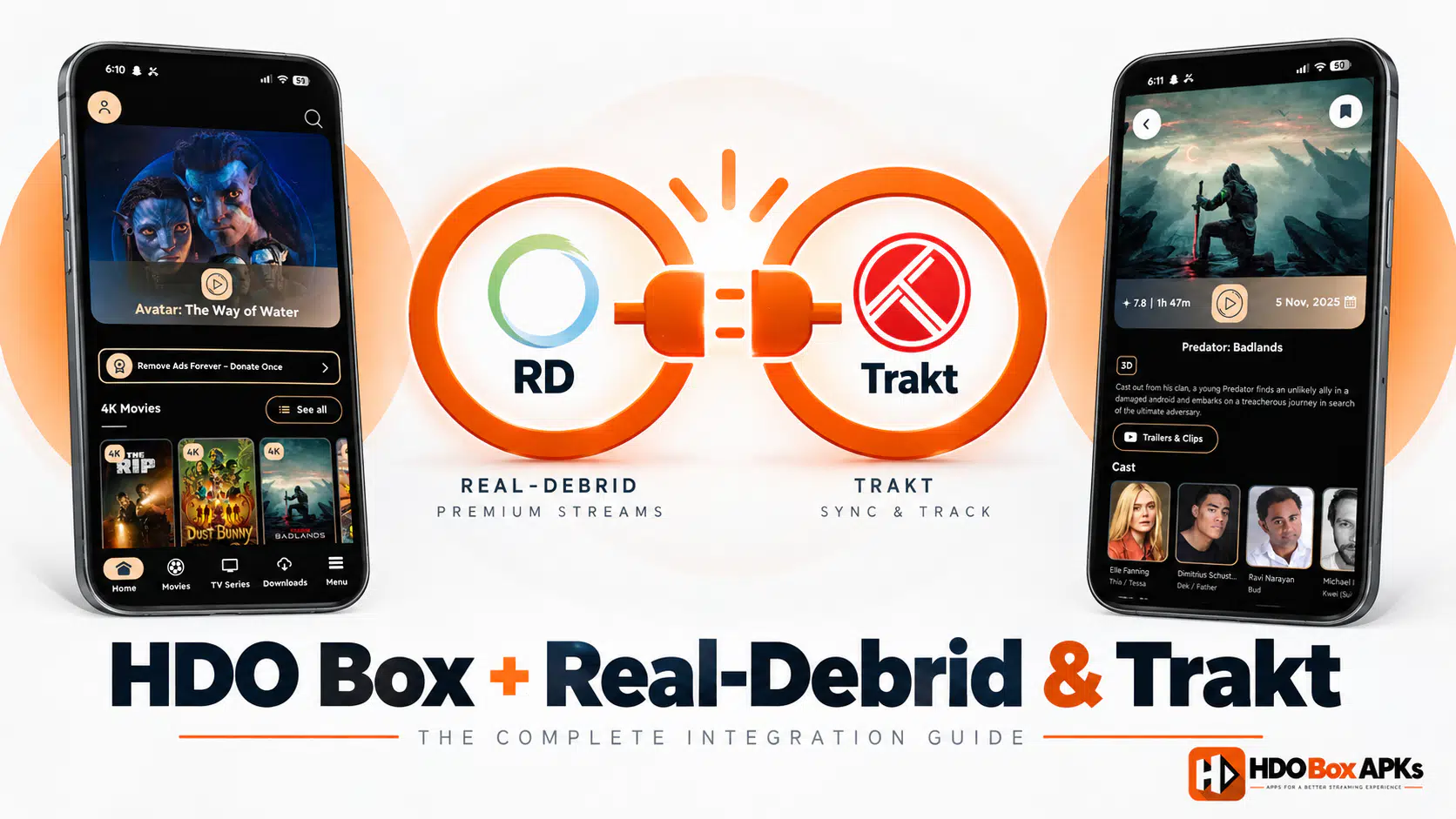
HDO Box Real Debrid integration is the most significant upgrade you can make to the app. Without it, HDO Box relies entirely on free scraper sources: servers that are often slow, overloaded, or geo-restricted. With Real-Debrid connected, the app gains access to a pool of premium cached streams that deliver consistently fast, high-quality 4K and 1080p playback.
Trakt.tv integration is equally valuable for a different reason: it syncs your watchlist, viewing history, and ratings to the cloud. This means you can switch devices, reinstall the app, or use HDO Box on multiple devices, and your progress is always available.
This guide walks through both setups step by step, covers what to do when your HDO Box Real Debrid setup isn't working, and explains how these services transform the streaming experience. For playback optimizations, check our HDO Box buffering guide.
1. What HDO Box Real Debrid Integration Does
Real-Debrid is the premium service that makes streaming on HDO Box so powerful: it's an unrestricted multi-hoster and link resolver based in France. For HDO Box users on Firestick, Android TV, and PC / Mac, it provides two key improvements:
2. What Trakt.tv Does for HDO Box
Trakt.tv is a cloud-based service that tracks your TV and movie viewing activity. For HDO Box users:
3. Real-Debrid Setup: Create Your Account
Before connecting Real-Debrid to configure the integration, you need an active account.
Steps:
- On any browser (phone, computer, or tablet), go to real-debrid.com.
- Click "Sign Up" and create an account with your email address.
- After email verification, log in to your new account.
- Go to the "Premium" section to purchase credits.
Select your preferred package:
- 15 days: approximately €3
- 30 days: approximately €4
- 90 days: approximately €9
- 180 days: approximately €16
- Complete payment. Real-Debrid accepts PayPal, credit cards, Bitcoin, and several other payment methods.
Once your premium status is active, your account is ready to authorize HDO Box.
4. How to Connect Real-Debrid to HDO Box
The connection process for Real-Debrid on HDO Box uses a secure OAuth device authorization flow: your TV or mobile screen displays a code, and you authenticate via a browser on any device.
Steps:
- Open HDO Box on your Firestick, Android TV, or phone.
- Tap the Settings icon (usually a gear in the top-right or within the hamburger menu).
- Look for "Real-Debrid" or "Premium Accounts" in the settings list.
- Select "Connect Real-Debrid" or "Authorize."
- The app displays a short URL (typically real-debrid.com/device) and a unique authorization code.
- On any browser (your phone, computer, or tablet), go to real-debrid.com/device.
- Enter the code shown in HDO Box.
- Click "Authorize." Your Real-Debrid account is now linked.
Back in HDO Box, you will see a confirmation message, typically "Real-Debrid Connected" with your account username displayed.
5. How to Use Real-Debrid Sources in HDO Box
With your Real-Debrid account properly linked, using it is largely automatic:
- Navigate to any movie or TV episode in HDO Box and tap to open the stream picker.
- The stream list will now include Real-Debrid sources alongside free sources. These appear with an "RD" badge or in a separate "Premium" category depending on your app version.
- Tap any Real-Debrid source. These are typically listed at the top of the stream picker.
- Drama Player launches and begins streaming directly from the high-speed server.
6. Trakt.tv Setup: Create Your Account
Steps:
- Go to trakt.tv in any browser.
- Click "Join Trakt for Free."
- Create your account with a username, email, and password.
- Verify your email address.
- Your Trakt account is now ready to connect to HDO Box.
Trakt offers a VIP subscription (approximately $3/month) that adds advanced features like data export, no ads on the website, and priority support. The free tier is fully sufficient for HDO Box sync purposes.
7. How to Connect Trakt to HDO Box
Steps:
- Open HDO Box on your device.
- Go to Settings > look for "Trakt" or "Account Sync."
- Tap "Connect Trakt" or "Sign In with Trakt."
- The app displays a URL (trakt.tv/activate) and an 8-character activation code.
- On any browser, navigate to trakt.tv/activate.
- Sign in to your Trakt account if not already.
- Enter the activation code shown in HDO Box.
- Click "Continue" and grant the authorization request.
HDO Box will confirm the connection. From this point, all your watchlist activity syncs to Trakt automatically.
Add a movie to your HDO Box watchlist and check whether it appears on your Trakt profile online within a few minutes. If it does, the sync is working correctly.
8. Fixing HDO Box Real Debrid Not Working
If Real-Debrid streams stop working after initial setup, these are the most common causes and their fixes:
9. Does Real-Debrid Work on Firestick?
Yes: Real-Debrid works fully with HDO Box on Firestick with the same setup process. The integration requires an active internet connection and an HDO Box version that supports the Real-Debrid API (all recent versions do). The device code authorization in Section 4 works identically on Firestick.
- Use the Firestick remote to navigate to Settings within HDO Box.
- When the device code appears, enter it from a browser on your phone or computer (not from the Firestick itself).
- The authorization completes automatically and the connection is confirmed on your Firestick screen.
Performance on Firestick: Real-Debrid sources perform better on Firestick 4K Max (faster CPU, more RAM) than on the basic Firestick 1080p. On the basic model, enabling HW+ decoding in Drama Player ensures smooth playback from Real-Debrid sources.
Frequently Asked Questions
How much does Real-Debrid cost for HDO Box?
Does Real-Debrid work with all HDO Box content?
Can I use Real-Debrid on multiple devices with HDO Box?
Is Real-Debrid legal?
Why doesn't Trakt sync work after reconnecting?
Does Trakt slow down HDO Box?
Conclusion
Setting up HDO Box Real Debrid and Trakt transforms the app from a standard free streaming tool into a premium-quality media hub. Real-Debrid eliminates the most frustrating aspect of streaming, unreliable free hosts, by providing fast, cached, high-bitrate streams. Trakt adds seamless watchlist sync across all your devices.
Both setups take less than 10 minutes combined. With high-speed 4K streaming and cloud progress tracking, configuring Real-Debrid and Trakt is the single best enhancement you can make to your setup. For more guides and updates, visit our download hub and troubleshooting center.